David Gessel
Cambridge Morning
Breakfast in the euphonic Wolf Abdias and Stanley Esdras Jules Square

Is it time to leave FaceBook
So somebody added me to a FaceBook group – I haven’t yet looked into how, but facebook lets me opt out later (rather than opt in) which means I’m getting dozens of messages a day and I’ll have to get around to unsubscribing when I can.
Wow…. this is amazing. Somebody you don’t like? Subscribe them to high volume facebook groups. Their inboxes will fill with random crap. That’s awesome – other people can put you in a group and you have to opt out. That’s even better than G+ leaking “circle” names; fortunately, I read about that one before populating my “annoying morons I follow only because I have to for business reasons” circle. Now where are those “Fans of Pedobear” and “10% For Al Queda” groups? Lets see how long it takes to get all the FaceBook employees on the no fly list.
Seems like Facebook is responding badly to the perceived pressure from G+ (isn’t that dead yet?). I have no idea how long the groups opt out has been in place, but one of my favorite recent moves is the mobile snarf function whereby your facebook mobile app scrapes your mobile phone directory to populate everyone’s mobile phone numbers in their database and then default suggest that direct messages be sent to mobile devices. If nothing else convinced people that facebook messaging is a horrible substitute for email, this should.
This is a great example of why putting information in the “cloud” means ceding all control to entities who’s motivations may not align with yours. Facebook has decided that their best interests are served by snarfing mobile numbers, running up phone bills, and stuffing inboxes and there’s nothing you can do but write a whiny letter. They have your data on their hardware, so they own it.
Category: Technology • Vanity sites
PHP default Lat Lon
Odd choice for the default lat/lon in php.ini
http://maps.google.com/maps?q=31.7667+35.2333+&hl=en&ll=31.766696,35.233305&spn=0.007799,0.007832&t=h&z=17
Category: FreeBSD • Technology
All Your Virus Are Belong To Us
There’s an article in PLoS one (cited from /.) by some MIT Lincoln Lab researchers (Go Beavers!) published under the title “Broad-Spectrum Antiviral Therapeutics.” Typically the media reports of such articles vastly overstate the claims in the paper to make exciting headlines, but in this case the reports seem fair to modest.
If the approach they are describing, Double-stranded RNA (dsRNA) Activated Caspase Oligomerizer (DRACO), works as well as in vitro tests and mouse tests indicate so far, viral infections could be as easy to manage as bacterial infections have been since antibiotics. Basically DRACO is a compound that can be introduced into a mouse (and very likely a person) infected with a virus or prophylactically in advance of risk of viral infection. Any infected cells will die within 24 hours. DRACO remains active for about 8 days and has prophylactic value when administered up to 6 days in advance of infection.
Category: Technology
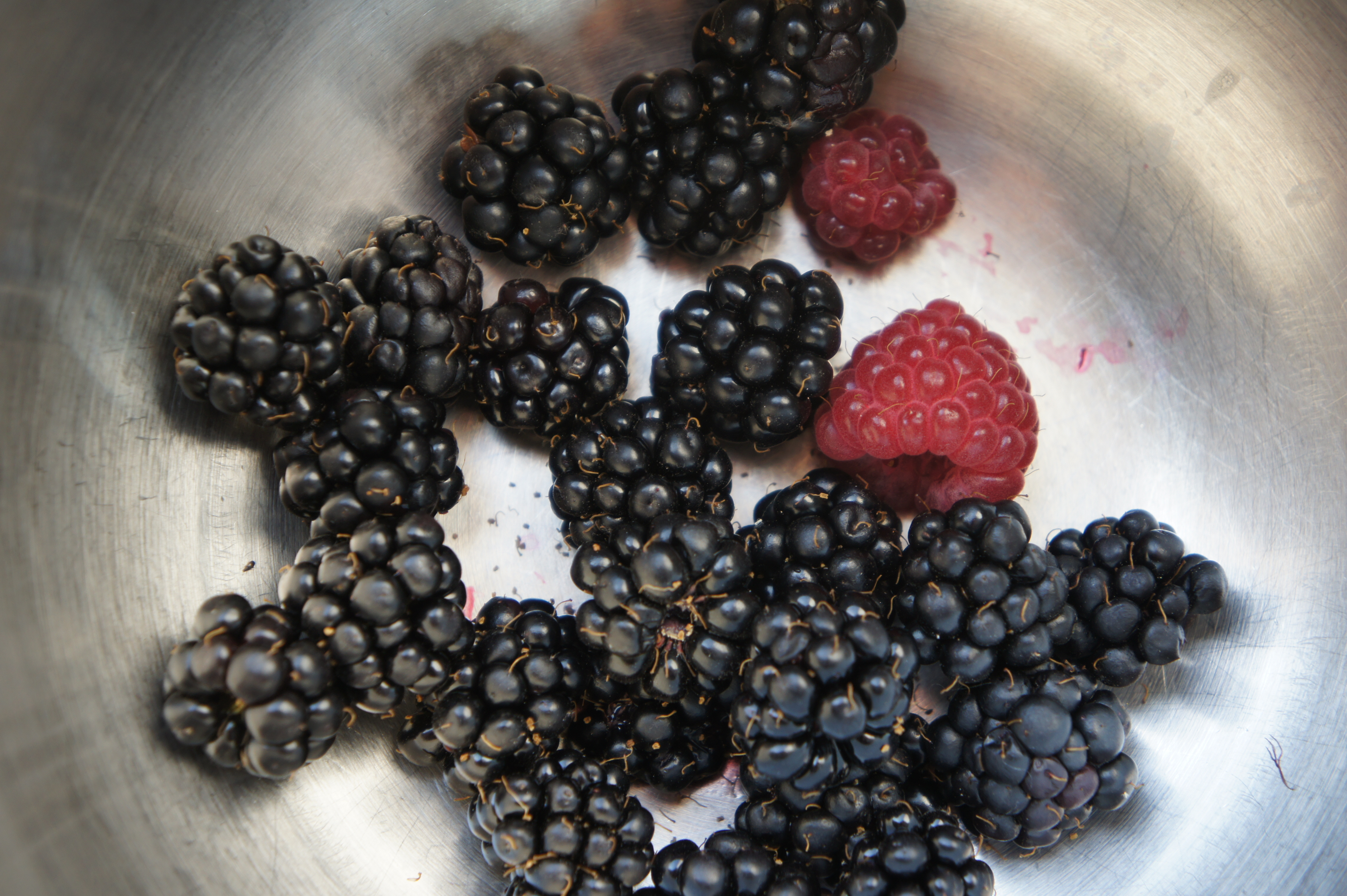
Yard Berries are Fruiting
The urban blackberries and raspberries are starting to fruit.
Managing (lots of) Digitial Pictures
This is an older method, I do a lot of this with DigiKam now on Linux.
Over the decades, I’ve taken a lot of digital pictures. I was a bit haphazard in backing them up to CDs to random hard disks etc – meaning several copies. Over the years, bit rot has corrupted some copies, CDs from 20 years ago have started to go blank etc. Once I put together a ZFS 6 FreeNAS box, I thought it would be a good place to organize them, especially once I started playing with Picasa’s face recognition tool, which is awesome for reminding me who some of those people are in those old .jpgs staring back through the bit flip block defects of the ages.
I’ve tried a couple of face recognition tools – Microsoft’s, some other thing that really sucked, and Picasa, and Picasa’s is by far the best. Unfortunately Picasa suffers horribly from Google Hubris, that infuriating disease that renders otherwise excellent technologies almost unusable. An example many people have run into is Google’s idiotic threading model in gmail. They’ve decided that all messages are non-hierarchical blobs, that the meta information means nothing, and that we should trust the lucky feeling. If the messages Google chooses to show us aren’t what we were actually looking for, then we are doing it wrong.
Picasa is infected with the same disease, but has it even worse. Picasa has one uniquely good trick, it tags faces fairly well. It is not a particularly good tool, certainly not the best, for many other tasks people do with images. But since failing to recognize that the only right way to do any of these tasks is with Picasa, and really failing to understand that anything anyone would legitimately ever actually want to do with a digital image falls into the set of features Picasa has (or it is not legitimate), the fact that touching your images with any other program corrupts Picasa’s database and, entertainingly, wipes out any work that you’ve done with Picasa is, as reiterated over and over by Google’s reps in the Picasa forums, just proof that you’re doing it wrong.
And, of course, Google and Picasa will be with us forever, just like every image management and editing application that I was using back in 1990 when I started taking digital photos.
My little image collection, once fully deduplicated, is 52,000+ images and 122 GB of data, which I think crosses most predictable size fail thresholds, so if these tools work here, they should be pretty reliable for most people. If you don’t get it yet, and still fail to adhere to the Google Way, the following utilities aided my heresy.
Face Tagging (Fix Picasa with AvPicFaceXmpTagger)
If it wasn’t for the face tagging feature, I’d never use Picasa. I can’t wait until somebody competent writes a face tagging application that is as well written, straight forward, and standards compliant as Friedemann Schmidt’s GeoSetter – a gold standard in image utilities matched only by Irfan Skiljan’s IrfanView. Until then, there is, alas, only Picasa.
With a large collection of images, especially those with crowd shots, one quickly discovers that even Picasa’s devs haven’t through through the UI very well yet: there’s no way to reject large groups of pictures. It is also very tedious to work in manual mode: you can’t add faces in the “identify unknown faces” mode where you’d want to, for example. Another odd artifact is that to move a misidentified collection of faces to the right name, you have to select from a text-only popup list that quickly spans several 1200 pixel screens as you add names. If you type the first letter of the name, it jumps to it, but the scroll wheel doesn’t scroll the list and if you start typing the second letter of the name thinking you’ll get to the one you want (a standard UI reflex) you instead jump around to names beginning with that letter – but bonus feature – if you have only one person in the list who’s name begins with that letter, the reassignment executes automatically, which can make it hard to find where the pictures even went.
If it were me, I’d add an “indicate face” mode where I can indicate with just a click (not click, drag, name each time) where a face is and trigger a “look harder” iteration of the detection algo. It would also be useful to hint to the algo that a folder of images has more faces than already detected, try again. The algo should use meta information to aid in narrowing – for example certain faces tend to appear in different periods of one’s life. A good example might be taking a vacation with a friend: in that folder, everyone who kind of looks like the friend is more likely to be so. That is, look at frequency of appearance by metadata cluster and weight accordingly where metadata might be folder, file naming structure, GeoIP, date, time, etc.
But the huge problem with Picasa is that for reasons that could only make sense to a company that is absolutely, religiously certain they know the one and only true way to do anything correctly, Picasa writes the face ID information to a contacts.xml file, not using standards-compliant XMP face tagging. This means that when your picasa database gets corrupted (and it will, regularly) most of your face tagging efforts are lost if you don’t use a utility to write the face tag data to the EXIF meta information so it stays with the picture.
Fortunately, there is a tool to do just that: Andreas Vogel’s AvPicFaceXmpTagger. This utility will read the contacts.xml file and write the data into the image files as XMP compliant tags so the work will stay with your images. I ran it on my entire pre-deduplicated collection before deduplicating, and while it took about 20 hours, it did not barf.
What is particularly annoying is that the face detection algorithm is actually quite good, it is the database management that is beyond useless. Google has no excuse for being bad at information management. The meta information being attached to a picture couldn’t be easier – a name and coordinates. The contacts.xml file is intolerably fragile and completely tied to Picasa.
GeoTagging (Use GeoSetter)
Picasa used to be my geotag program, but then I found GeoSetter, and I completely abandoned Picasa’s inferior geotagging features and never looked back. It is now just a face recognition tool. It pretty much sucks at managing the data, and while AvPicFaceXmpTagger fixes the inexcusable shortcoming of not writing XMP tags with the face data, as soon as there’s a GeoSetter-quality, XMP-compliant face tagging solution, Picasa is so voted off the hard disk.
GeoSetter uses map integration to make tagging pictures easy, but it does The Right Thing, that is it puts as tags hierarchical place and altitude information as tags. Oddly, Picasa reps argue that geotags don’t do that any more, that is they only put the lat/lon into the picture assuming that the user will always be connected to Google’s servers and look up additional metadata from the lat/long as needed, arrogant, self-centered morons that they are. Real world users that don’t live on the Google campus still interact with their image data when their not connected to the interwebs, as difficult as this would be for Google to understand and as contrary to their plans for world domination as it is.
But Geosetter does it right, so don’t bother geotagging with Picasa. Geosetter will also look up the additional place name metadata based on lat/lon data in the picture and write that to the appropriate EXIF fields. It is powerful, easy to use, and very reliable.
Folder Organization (Organize folders by date with AmoK Exif Sorter)
Organizing pictures is highly subjective and there’s no right way – well except Picasa’s One True Way, but if your read this far, you’re probably not drinking that cool-aide. I, personally, like YYYY/YYYY-MO/YYYY-MO-DY/Image name folder structures. I, personally, don’t end up with more than 3-400 images in any single folder that way (and that very rarely) so OS’s don’t ever barf on a 20,000 image folder and it is fairly easy to find pictures. The tool I use to organize into year/month/day folders is AmoK Exif Sorter, which can read the EXIF create date and move images into my favorite folder structure automatically. It is a little slow on large folders of more than 2-3,000 images, but it didn’t fail on 20,000 images and sorted them all perfectly.
This works well because I use the same image organization with my EyeFi card, which transmits images directly from my camera to my laptop via wifi and sorts them as it goes. Everything prior to getting the card was randomly sorted until Exif Sorter fixed it, but now it should stay in sync. I really like my EyeFi card, but if upload is enabled when I am not in range of a discoverable network, the card sometimes crashes and I lose the last couple of pictures taken. I’m not happy about that, but I usually remember to turn upload off from the camera interface, and it has only made me really sad a few times so far.
DeDuplication (AntiTwin and DupDetector)
If you’re as disorganized as I am then you’ll ultimately end up with quite a few extra copies of your images as the years go by. Some of my collections had more than 10 copies in the nearly two decades since I first took them. I actually use two tools for deduplication: AntiTwin and DupDetector; I tried Picasa’s deduplication tool but it sucks and it isn’t clear that it is actually removing duplicates, rather just faking you into doing work with it that will later be lost when you have to reinstall Picasa in a few days after the database gets corrupted again (see rotation, below).
I do first pass deduplication with AntiTwin and use the byte by byte comparison at 100% match to find bit-for-bit copies. This does not detect copies with different EXIF tags (which happens) or images that are scaled for email and cluttering up your disk along with their original resolution master images, but you can be confident you’re not going to lose anything. I directly delete the copies AntiTwin finds. AntiTwin also has an image compare function, but it is useless on a large image collection.
To find scaled copies, copies with exif info, copies with minor bit rot, etc that AntiTwin won’t find, I use Prismatic Software’s DupDetector. I’ve found an odd mix of versions on download sites, and the author site is very slow, but it isn’t too huge and it works very well and has been recently updated. I use it to move, not delete copies, into a dead storage folder. If I make a mistake, the copies are still there, but I don’t need to have them in my primary search path. I am fairly confident that everything detected as a duplicate with match at 99.9% was actually a duplicate, but at 99.7%, it turned up some icon sized scaled pictures along with a lot of false matches in very dark pictures. I suggest first running at 100% in fully automatic mode, then cautiously at 99.9% in fully automatic mode; I only had 420 detected duplicates at 99.7%, and about half of those were true duplicates, so I ran at 99.7% in semi-auto mode.
Rotation (IrfanView)
One of the last steps for me is orienting all of my pictures upright using a JPEG Lossless rotation. In yet another facepalm move, Picasa fakes you out with rotations – it does not actually rotate the image, it just stores your rotation specification in picasa.ini file in the folder, which only Picasa uses, and that’s only until that file gets hosed for some reason. So if you spent a couple of days scrolling through the giant list of all your images rotating them one by one in Picasa, you wasted your time. Sorry. Thank Google.
Fire up IrfanView, load a directory of images, or even all subdirectories, and you can autorotate a giant library according to EXIF information. If your pictures go back more than about 5 years, your camera probably didn’t have an orientation sensor, so auto-rotate wont work. But Irfan’s thumbnail mode lets you select a few thousand images that need to be rotated the same way on by one (but quickly) and batch rotate them all losslessly.
If you do this, Picasa will still apply the picasa.ini rotation you created and it will be wrong, which is a good reminder not to use Picasa for anything any other program does better.
Category: photo • Positive • Reviews • Technology
Will G+ Eat RSS, or Insist on Sole Ownership?
Weird: I have yet to find a way to import an RSS feed into G+. This is one of those things that significantly undermines Google’s “your data” cred. Anyone know of a way to do it? I haven’t found an “import RSS feed into your feed” the way facebook kinda does and the wordpress/facebook plugin does.
I’m a very strong believer in “he who owns the hardware, owns the data,” so, for example, posting this on G+ means that this text is Google’s (note, this was originally published on G+, but G+ cratered proving the cloud is ephemeral and public,, then I stole it back!). And since it didn’t originate on my personal wordpress installation (free as in speech, free as in beer) running on my server at home (free as in speech, not absurdly expensive as in cheap beer), it isn’t mine.
My server also runs my mail server, my file server, my web server etc. all from my garage meaning that’s my data and my hardware and fully protected by law, while any data on Google’s server is effectively shared with every good and bad government in the world and my only legal recourse if it gets hacked or stolen or sold or given away or simply deleted is to… write an angry post on my blog and swear never to trust a cloud service again.
This is, obviously, exactly the same at FaceBook and every other cloud service. I use Facebook as a syndication service: I post on my own servers and syndicate via RSS to FaceBook, which becomes, in effect, the most frequently used RSS reader should people who haven’t gotten around to blocking me in their streams might find and by which perhaps occasionally be amused. This means I still own my data and my data has no particular dependence on FaceBook’s survival.
This post is visible only as long as Google wants it to be. If Google changes the rules, I lose the data. OK, I can download it – as long as they choose to let me, but it isn’t my data. When I post on my server then give FaceBook permission to republish the data, I control my data and they get only what I decide to give them. When I post this on Google and then ask “please, sir, may I recover my post for another use?” the power relationship is reversed: Google owns and controls everything and my rights and usage are only what they deign to offer me.
That almost everyone trusts the billionaire playboys who put king sized beds in their 767 party plane as “do no evil” paragons of virtue is odd to me, but nothing better validates Erich Fromm’s thesis than the pseudo-religious idolatry of Google and Apple. Still, even the True Believers should realize that the founders of these Great Empires are not truly immortal and that even if Google is doing no evil now, it will change hands and those that inherit every search you’ve ever done, every web page you’ve ever visited, every email you’ve ever sent, every phone call you’ve ever made or received, the audio of every message ever left for you, the GPS traces of every step you’ve ever taken, every text and chat and tweet might think, say, that Doing Good means something different than you think it does. One should also remember the Socratic Paradox that renders tautological Google’s vaunted motto.
Unfortunately, at least so far, Google won’t let me use G+ to syndicate my data – they insist on owning it and dictating the terms by which I can access it. If I want to syndicate content through my G+ network, it seems I have to fully gift Google that content. I’m hoping there’s a tool to populate my “posts” from RSS so the canonical will remain on my server. Because it is the Right Thing To Do.
(Shhhh.. I’m going to copy and paste this into my own wordpress installation, even though I wrote it here on the G+ interface. They probably won’t send me a DMCA takedown, but I do run the risk that they’ll hit me with a “duplicate content penalty” and set my page rank to 0 thus ensuring nobody ever finds my site again. Ah, absolute power, so reassuring to remember that it is absolutely incorruptible.)
Category: Politics • Self-publishing • Technology
Taking a risk…
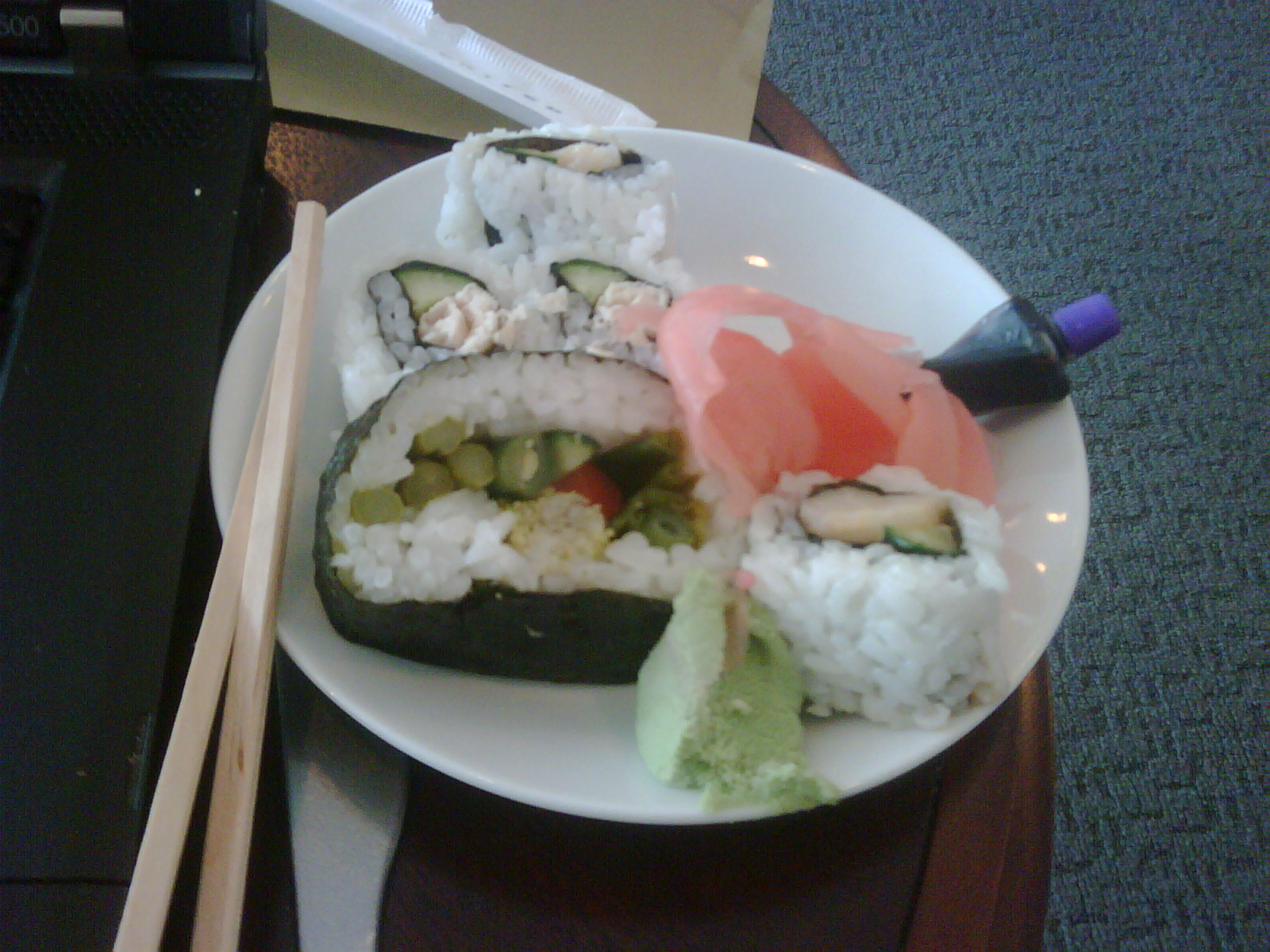
Sushi from the JFK RCC int 1st club before a transcon. Hmmm…
-
Recent Posts
- Managing a proxyware infection 2026 May 24
- Google gonna do evil. Resist the Droidpocolypse. 2026 April 15
- Generative Spongiform Encephalopathy (GSE): The AI Ouroboros 2026 January 11
- Free your Datas from The Tyranny of the Organizer 2026 January 09
- Does nano select the wrong syntax highlighter? But how to know which? 2025 December 16
- Serial dependencies are a catastrophe already starting to happen 2025 November 19
- Cleaning up poor quality laser scans with Meshlab 2025 September 12
- Disappearing checks in WordPress checkboxes 2025 July 29
- Apropos of nothing in particular…. 2025 March 26
- Treegraph.sh a tool for generating pretty file structure graphs 2025 February 28
- Categories
- Links
- Archives
- Post History
October 2026 M T W T F S S 1 2 3 4 5 6 7 8 9 10 11 12 13 14 15 16 17 18 19 20 21 22 23 24 25 26 27 28 29 30 31